Discovery Finds Your Servers. Service Mapping Shows Why They Matter.

You ran a discovery scan. Found 2,347 assets. Congrats — you now have a very expensive spreadsheet.
The real question isn't "what do we have?" It's "what breaks when this thing goes down?"
The Discovery Trap
Discovery tools are great at what they do: finding stuff. They'll scan your network, enumerate your servers, catalog your software, and hand you a nice inventory.
But here's the problem: discovery stops at the asset level.
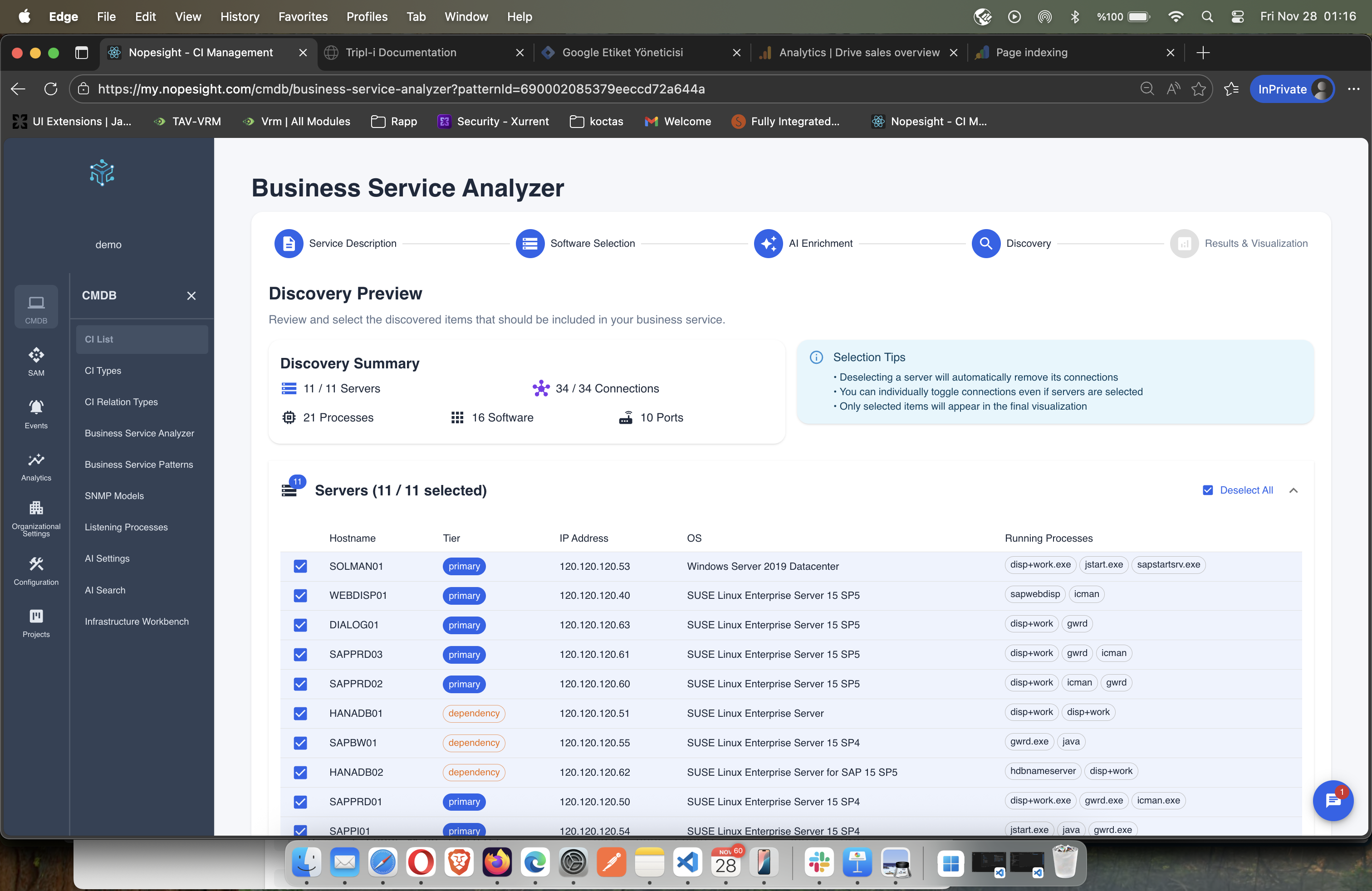 Discovery shows you counts. Lots of counts.
You get 847 servers, 12,000 software packages, and 45,000 network connections. Great. Now what?
| What Discovery Tells You | What You Actually Need to Know |
|---|---|
| "You have 847 servers" | "Which 12 are business-critical?" |
| "SQL Server is installed here" | "What applications depend on this database?" |
| "Port 443 is open" | "What happens to users if this goes down?" |
| "These two servers communicate" | "Is this connection critical or optional?" |
The result: a CMDB full of orphaned CIs with no business context. When the CAB asks "what's the blast radius?" — nobody knows.
What Service Mapping Actually Does
Service mapping takes that raw discovery data and adds the one thing that matters: business context.
It doesn't just show that Server A talks to Server B. It shows:
- Server A is a frontend tier handling user traffic
- Server B is an application tier processing orders
- Server C is a database tier storing transactions
- Together, they form your Order Processing Service
- 2,400 users depend on it
- Downtime costs $50K per hour
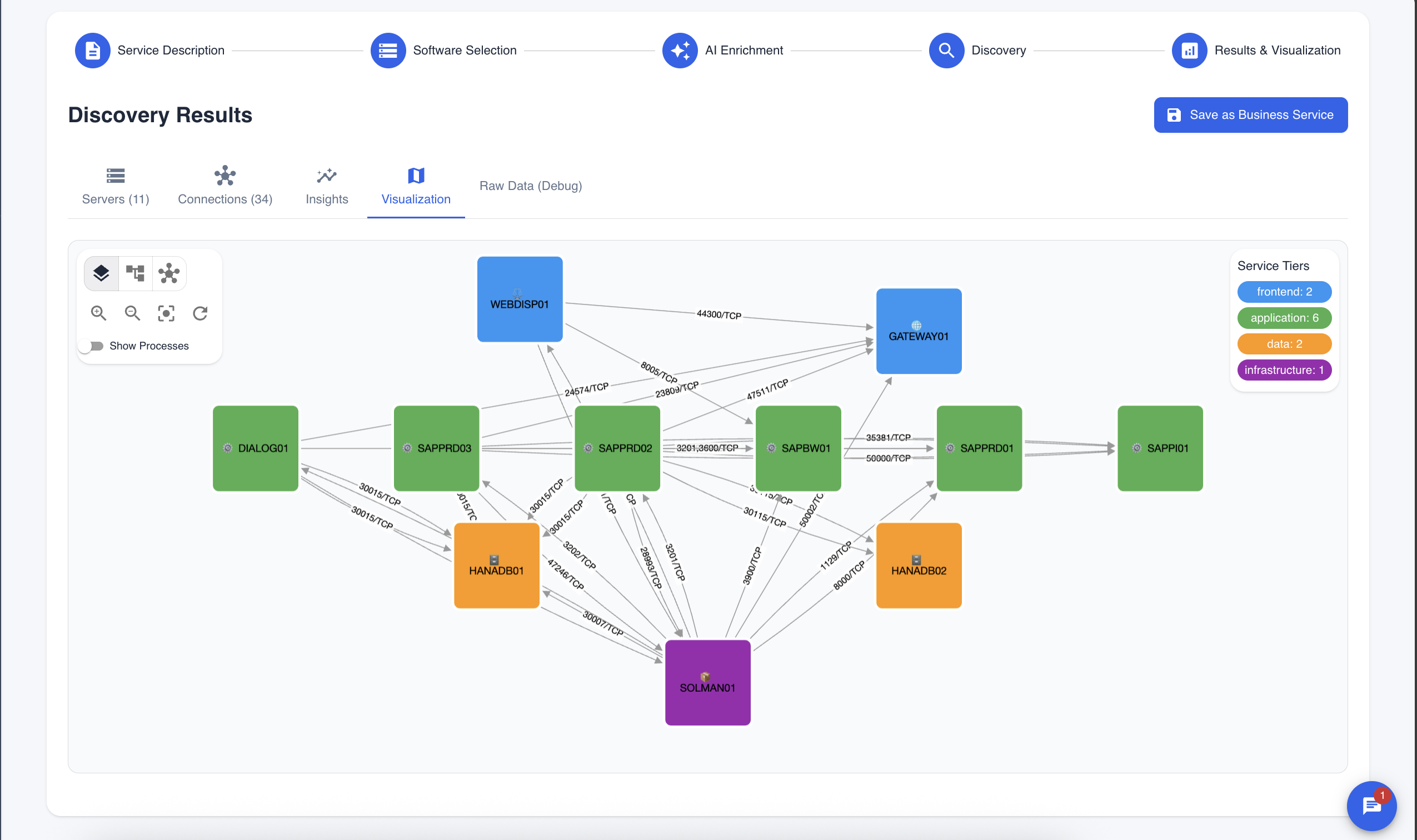 Same infrastructure. Now you can see what matters.
This isn't just a pretty graph. It's the difference between "we have servers" and "we understand our business."
The Two-Phase Approach
At Tripl-i, we treat discovery and service mapping as complementary phases, not competing tools.
Phase 1: Discovery
- Scan networks and endpoints
- Enumerate servers, software, and connections
- Collect raw data on ports, processes, and protocols
- Build the foundation
Phase 2: Service Mapping
- Identify service patterns (150+ pre-built templates)
- Classify components into tiers (frontend, application, database)
- Map dependencies and impact paths
- Generate business insights
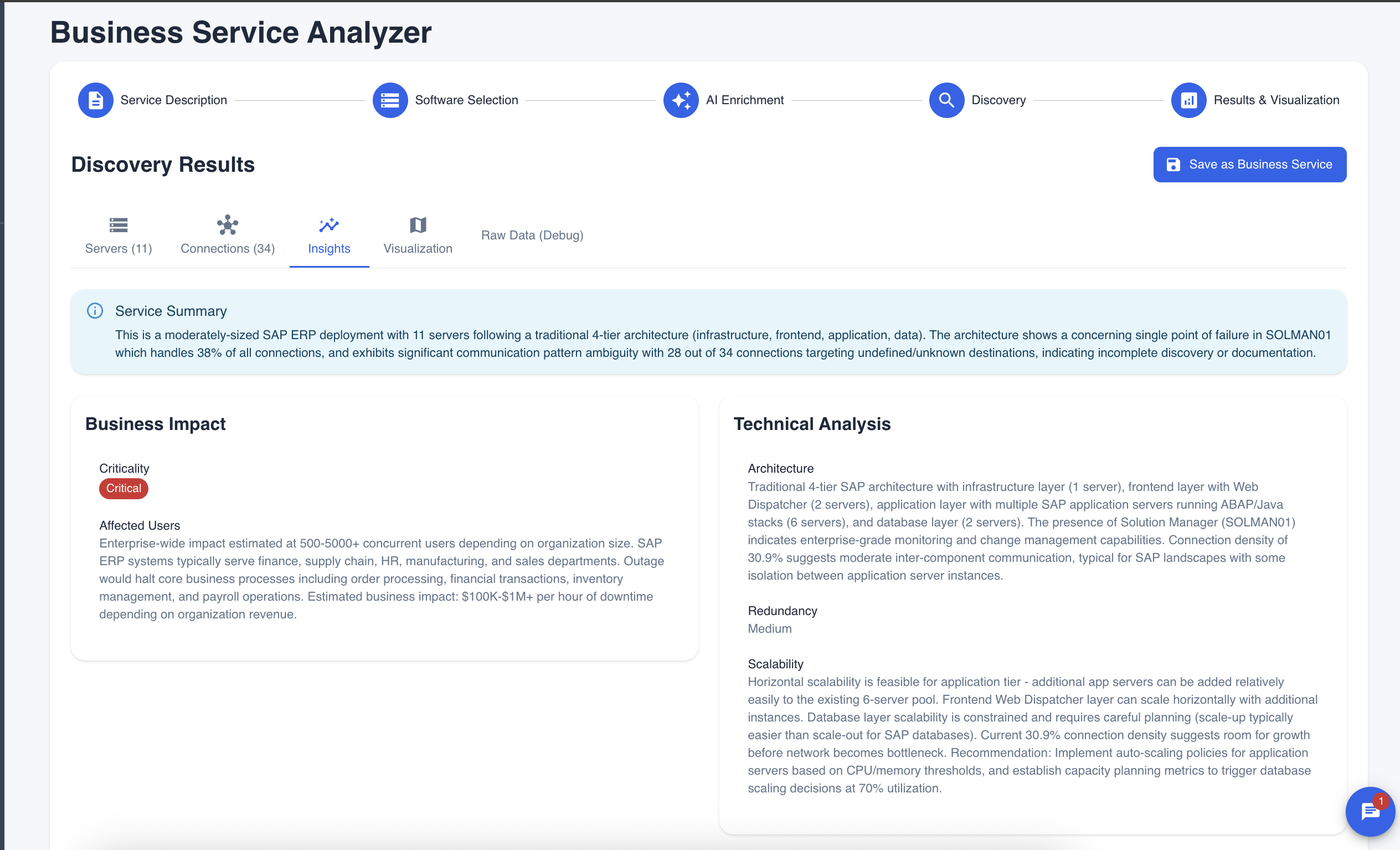 AI-generated insights that actually help you make decisions.
The AI doesn't just draw lines between boxes. It understands that a MySQL process on port 3306 is probably a database tier, that nginx on port 443 is probably a frontend, and that the servers in between are doing the actual work.
Real-World Scenario: The Exchange Server Problem
What Discovery Found:
- 1 Exchange server
- 3 database servers
- 2 load balancers
- "Low complexity" according to the ticket
What Service Mapping Revealed:
- 8 application servers depend on Exchange for authentication
- LDAP integration with the ERP system
- 2,400 users lose access if Exchange goes down
- Critical path to customer portal login
- Previous Exchange maintenance caused 4-hour ERP outage (6 months ago)
The CAB approved the change as "low risk" based on discovery data. Service mapping would have flagged it as high-impact with a 3-hour maintenance window — not the 30 minutes originally planned.
When You Need Each
| Use Case | Discovery Only | Service Mapping |
|---|---|---|
| Asset inventory | Works | Works |
| License compliance | Works | Works |
| Change impact analysis | Incomplete | Complete |
| Root cause analysis | Guessing | Data-driven |
| Business continuity planning | Impossible | Straightforward |
| Incident prioritization | Manual | Automatic |
| User impact estimation | Unknown | Calculated |
Discovery tells you what you have. Service mapping tells you why it matters.
The Bottom Line
You need both. But don't mistake a list of assets for an understanding of your infrastructure.
Your CMDB isn't complete when you've cataloged every server. It's complete when you can answer: "If this breaks, who notices?"
That's not a discovery question. That's a service mapping question.
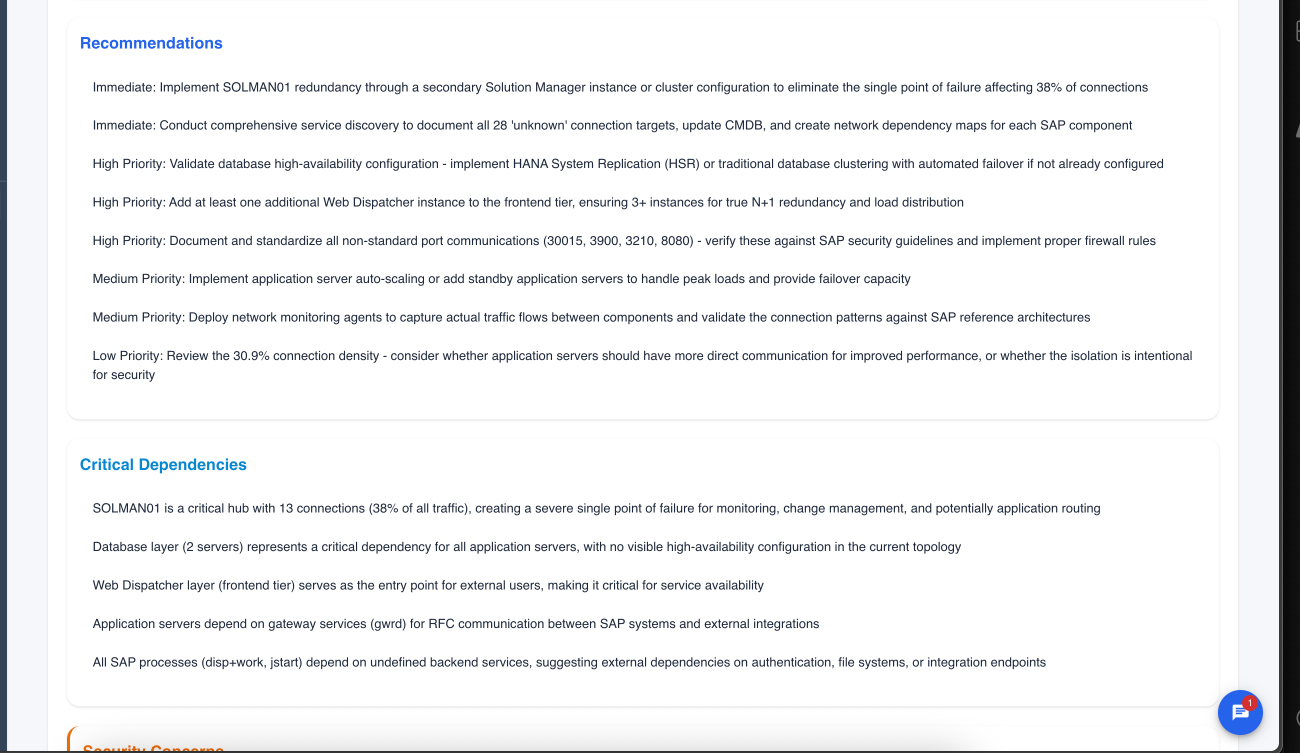 Service mapping doesn't just show problems — it recommends solutions.
Ready to move beyond discovery? See how Tripl-i's Business Service Analyzer combines both phases into a single workflow. Explore the documentation or try the demo.